Device-specific cards
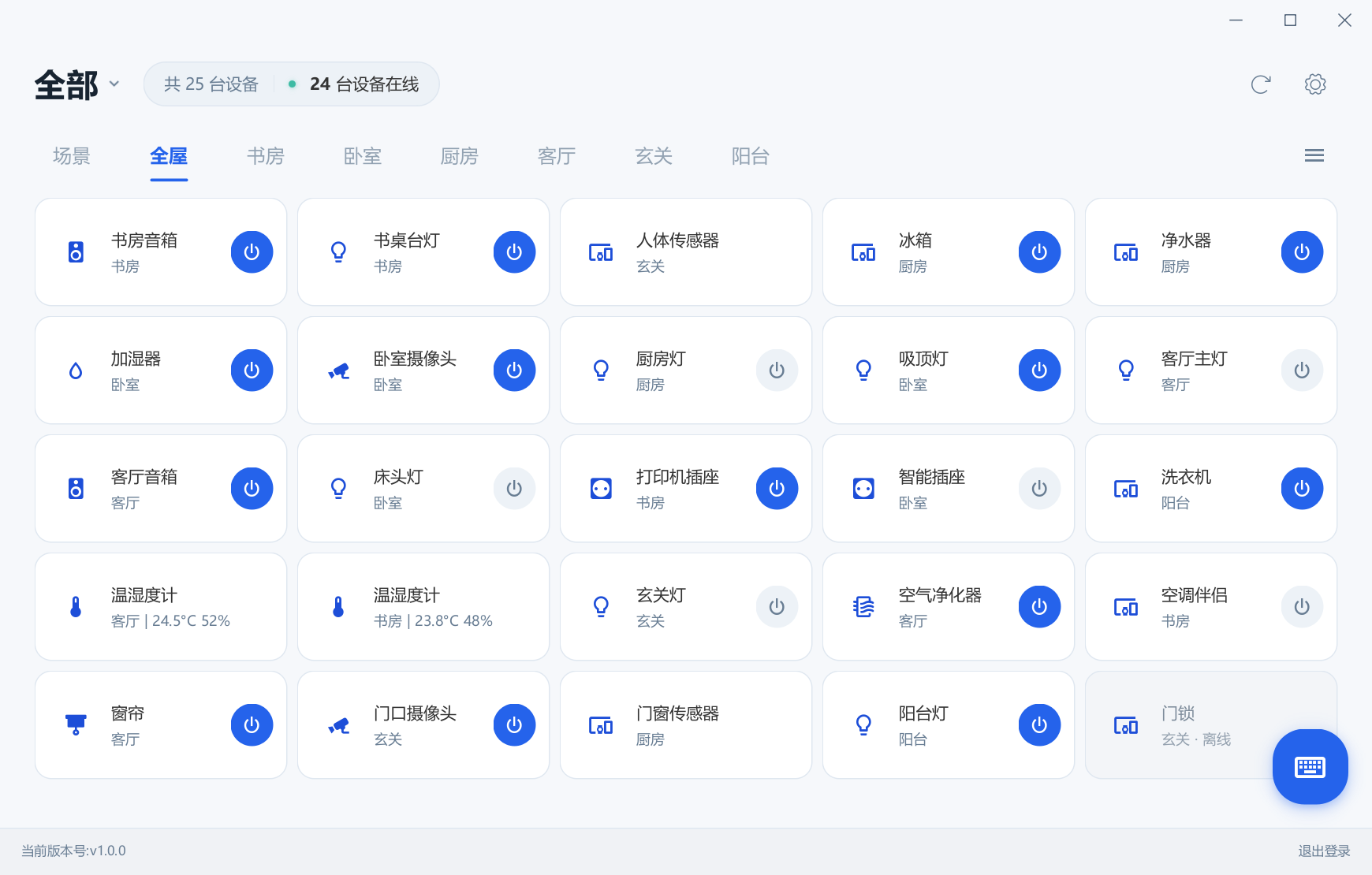
Browse devices by home and room. Toggle supported lights, switch channels and outlets; view channel states on parent panels.
 MijiaDeck
Xiaomi Mi Home on Windows 10 / 11
Switch a light, check the temperature, preview a compatible camera or send a text command to a XiaoAI speaker. MijiaDeck brings everyday Mi Home controls to Windows and its system tray.
DESKTOP CONTROLS
Browse devices by home and room. Toggle supported lights, switch channels and outlets; view channel states on parent panels.
Compatible cameras have a separate preview window with quality selection, mute, fullscreen and drag-to-pan/tilt. Remote relay access does not require the same LAN. Experimental.
Select a speaker, adjust volume, play, pause or skip tracks. Send text commands to that speaker without speaking aloud.
Brightness, color temperature and RGB controls appear only where supported. Use the Mi Home mobile app for advanced configuration.
Execute manual scenes already created in the Mi Home app. MijiaDeck does not create, edit or delete automations.
View supported temperature and humidity readings. Choose and reorder tray cards, select one or two columns and remember the popup position.
Get the Windows x64 ZIP from the latest GitHub release. Choose the application archive, not Source code.
Extract the complete archive and run MijiaDeck.exe. Keep the _internal folder. No separate Python or Java installation is needed.
Scan the QR code with the Mi Home app. Click the tray icon for quick controls, or right-click it to open the menu.
| Windows | Windows 10 1903+ / Windows 11 x64. Windows 7/8 are unsupported. Full Windows 11 hardware testing is still pending. |
|---|---|
| Switches & readings | Local hardware feedback exists for multi-channel switches and temperature/humidity readings. Compatibility is not guaranteed across every model in a brand. |
| Cameras | Local preview feedback exists for a compatible model. Camera transport is experimental and depends on model, firmware and network conditions. |
| Dimming & colors | The compact control UI has passed simulated-device interaction tests. More physical-device validation is needed. |
| Other devices | Only implemented controls and readouts are offered. Some presence/contact sensors currently show only their name and online state in the main window. |
| Language & platforms | The application UI is currently primarily Chinese; this website is bilingual. A macOS edition is planned, but is not available yet. |